To clean a red light panel, unplug it, let it cool, and wipe the front with a dry or barely damp soft microfiber cloth, never spraying liquid onto the panel and never using glass cleaner, alcohol or abrasive pads on the plastic face. Maintenance beyond that is mostly about heat: keep fan vents free of dust, give the panel air around it, look after the cable, and check now and then that every LED block still lights evenly, because a dim patch or flicker is a warranty question, not a cleaning one.
Choosing a panel? Our ranking of the best red light therapy panels is computed from published, method-labeled specs across 188 devices. For long-term ownership, the spec that matters is the warranty term and what it covers, since that is what you fall back on when a part fails.
Read the manual first
Your panel's own instructions come first. Brands use different front materials, and a warranty can exclude damage from cleaning products the brand warns against. The steps below are the cautious common ground; where the manual is stricter, follow it.
Cleaning the front face
The front of most panels is a plastic cover or a grid of small plastic lenses. Plastic scratches and hazes far more easily than glass, and a hazed or scratched face scatters some of the light before it reaches you.
- Switch off, unplug and let it cool. Unplugging removes any chance of liquid reaching live parts.
- Dust first, dry. Wipe with a clean, dry microfiber cloth in straight strokes. Most of what builds up on a panel is dust and skin oil, and a dry cloth removes the dust without grinding it in.
- Damp only if needed. For fingerprints or residue, dampen a corner of the cloth with water, wring it until it is nearly dry, and wipe. A drop of mild dish soap in the water helps with oil. Follow with a dry corner of the cloth.
- Never spray the panel. Spray goes into seams, vents and the gaps around buttons. Put any liquid on the cloth, not on the device.
- Skip the strong products. Ammonia glass cleaners, alcohol, solvents, paper towels and scouring pads can haze, scratch or crack many plastics. If you are unsure, test on a corner of the frame, not the face.
Wiping it when you can see dust or smears is enough for most people.
Your goggles need the same care. Rinse or wipe them with a soft cloth and mild soap, since a scratched lens is uncomfortable to look through and tempts people to leave them off. The eye protection guide covers why they matter even when the near-infrared band looks dark.
Fans, vents and heat
Heat is what shortens an LED's life. The LED lifespan explainer sets out why: higher chip temperature speeds up fading, so a panel that runs hot dims sooner than the same panel run cool. The guide to heat in red light panels explains how fans and heatsinks carry that heat away. For the owner, it turns into three habits.
- Keep vents clear. On panels with fans, dust builds on the grilles and the blades over time. With the panel unplugged, brush the vents with a soft dry brush or a vacuum brush attachment held just off the surface. Do not push anything through the grille and do not open the case to clean inside; some brands void the warranty if the case is opened.
- Give it air. Do not run a panel inside a closed cabinet, pressed flat against a wall, or stacked against another panel with no gap. The same panel with space around it runs cooler.
- Listen to the fans. A steady hum is normal. Grinding, rattling or a fan that stops while the panel is on is not, and fan bearings are among the parts that tend to fail before the LEDs.
Passively cooled panels, with a metal back and fins instead of fans, only need the occasional dry dusting.
Cables, mounts and storage
The cable and connectors fail more often than the LEDs. Treat them gently:
- Do not hang the panel by its cable or let the cable carry the panel's weight when you move it.
- Avoid tight bends at the plug and at the point where the cable enters the panel.
- Keep the cable and power supply off wet floors, and away from sinks and showers.
- Check the door hanger, stand or wall mount every few months. A heavy panel on a loose mount is a falling hazard and a cracked face.
- For storage, let the panel cool, wipe it, coil the cable loosely, and keep it in its box or a dry cupboard, face protected and nothing stacked on the lens side. Avoid damp garages and hot attics. If you pack a panel for a trip, the guide to traveling with a red light panel covers padding the face and checking it on arrival.
If you move the panel between rooms or set it up for different body areas, recheck your distance each time. Dose depends on distance, and the distance guide explains why a few inches changes the irradiance you get.
What counts as normal
Some things that look like faults are not:
- Dark or dim LEDs on a mixed panel. Near-infrared LEDs such as 850nm are invisible to the eye, so on a panel that mixes red and near-infrared, some LEDs will look dark or very faint while the panel is working.
- Warmth. The face and back get warm in use. Too hot to touch, a burning smell or a discolored area is not normal.
And some things that do point to a fault:
- A block of visible LEDs that is dark or dimmer than its neighbors, usually a failed connection rather than LED aging.
- Flicker or banding on a phone camera view of the panel. The flicker explainer explains how to check, and a failing driver is a common source.
- A panel that switches off on its own, a controller that stops responding, or a fan that has stopped.
- A clear drop in your own meter readings at the same distance and spot. If you own a meter, the method in checking a panel's irradiance yourself gives you a baseline to compare against.
LED hours are rarely the reason a panel declines. The lifespan explainer works through a 20-minute daily routine, about 122 hours a year, against published ratings of 50,000 or 100,000 hours, and neither rating is a limit home use comes near. If output has dropped, sessions need to run longer for the same dose, which the dose calculator shows; the better fix is to find out why.
When to contact the brand
If you see one of the faults above, stop using the panel and contact the brand before trying any repair. Before you do:
- Find your proof of purchase and registration. Some warranties require registration, and terms usually cover the original purchaser only, as the used panel guide explains.
- Document the fault. A short video of the dark block or the flicker, and a note of when it started, saves back-and-forth.
- Read what the warranty covers. Defects in materials and workmanship is the usual wording. Gradual fading is rarely named, so a slowly dimming panel may not qualify unless the policy says output is covered.
- Ask who pays shipping. A full-body panel is heavy, and some brands cover claim shipping only for a limited window.
- Do not open the case unless the brand tells you to.
Warranty terms differ widely between brands. The warranty length ranking compares what each brand publishes, and the same criteria apply to every brand in the database.
Quick checklist
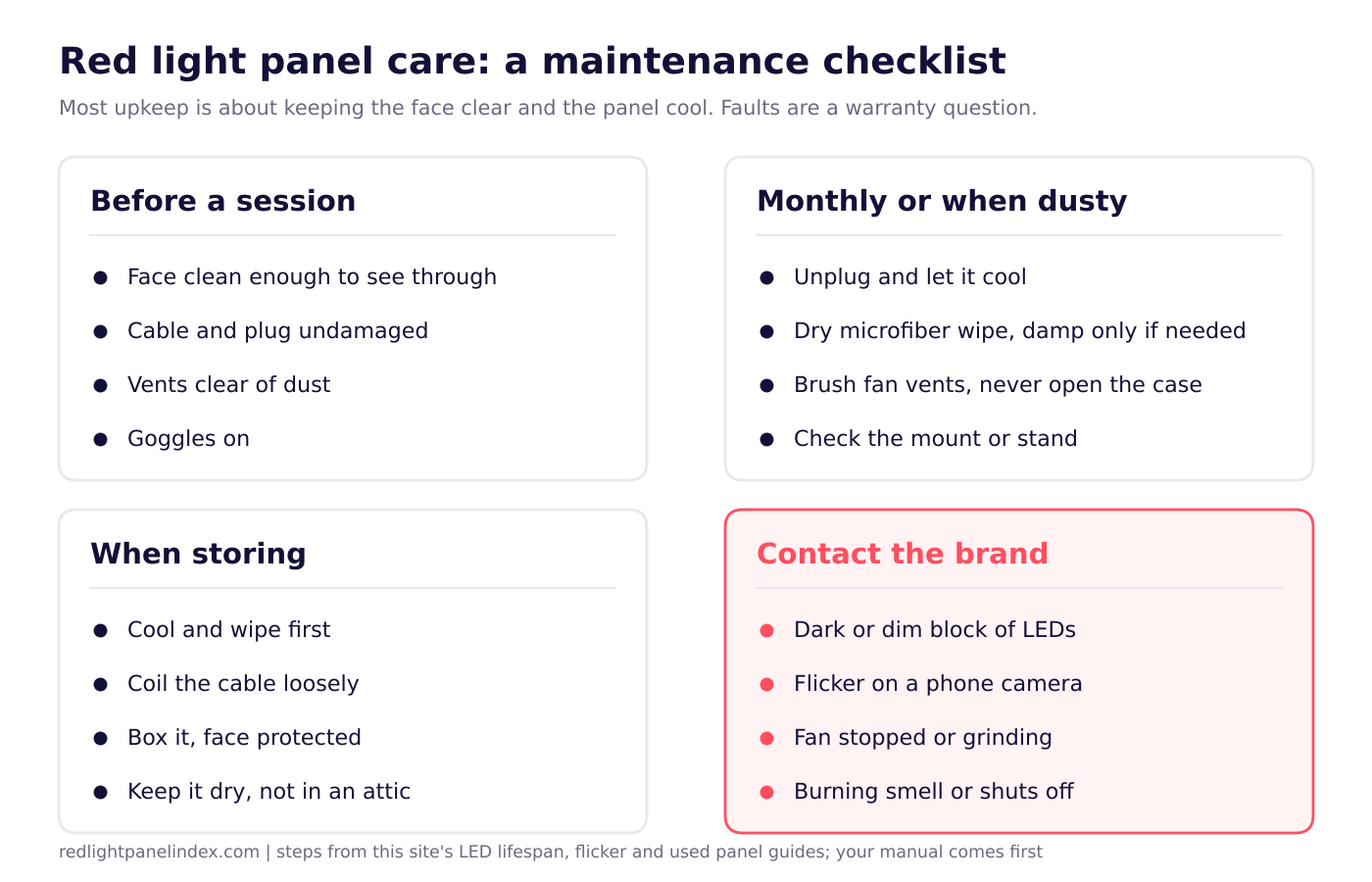
- Before a session: face clean enough to see through, cable undamaged, vents clear, goggles on.
- Monthly, or when you see dust: unplug, cool, dry wipe the face, brush the vents, check the mount.
- Every few months: look at the panel straight-on with it running, and check every visible block lights evenly. Film it once on a phone to check for flicker.
- When storing: cool, wipe, coil the cable loosely, box it, keep it dry.
- Contact the brand: dark blocks, flicker, fan failure, burning smell, or a panel that shuts off.